Tour Driver Communication Tools – Tour Management Made Right
Tour Driver Communication Tools
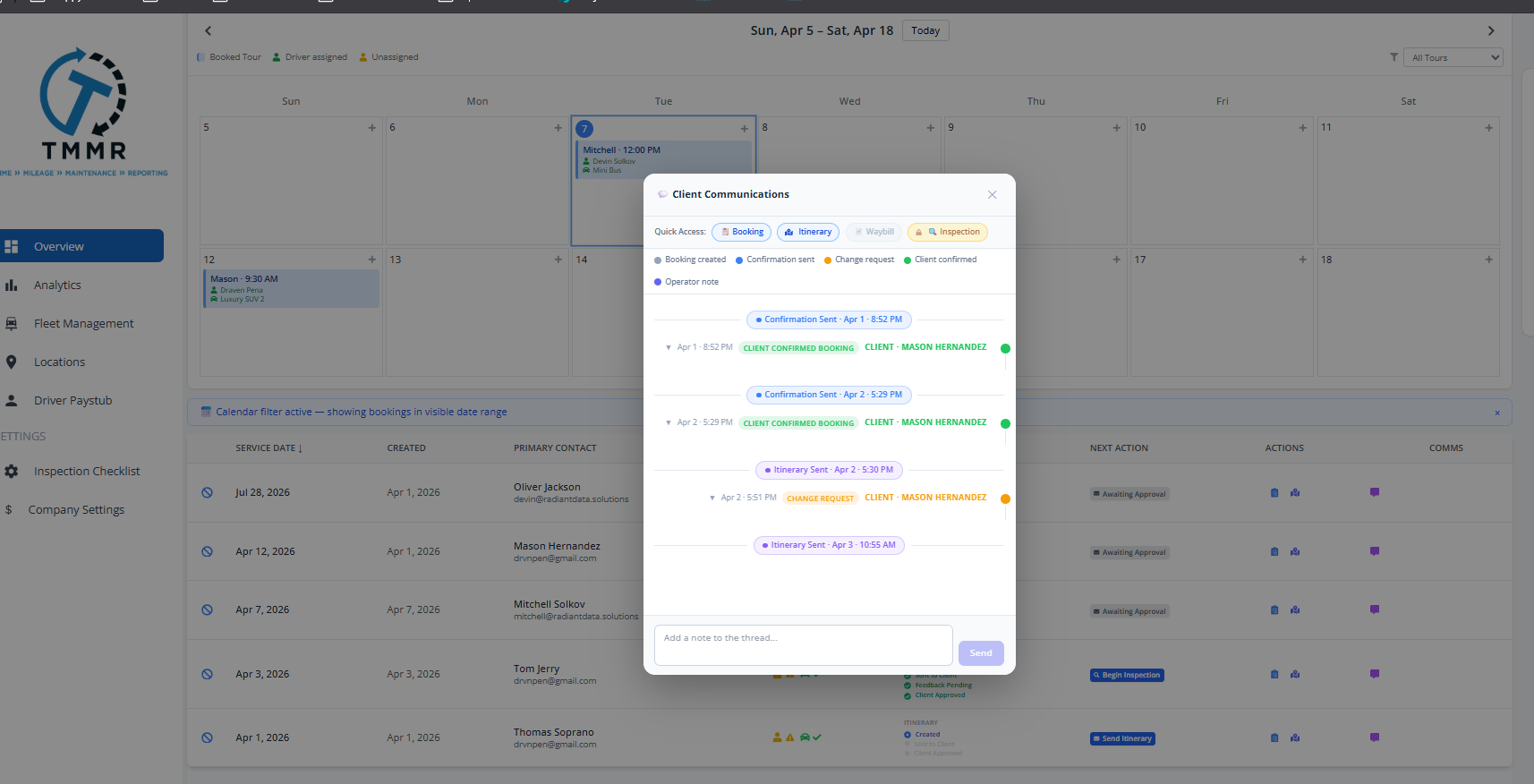
Driver communication shouldn’t depend on group texts. When a winery cancels last minute or a pickup location changes, your drivers need to know immediately. Tour Management Made Right keeps your team connected with in-app messaging, automatic schedule alerts, route change notifications, and group announcements with read receipts.
In-App Messaging
Send direct messages to individual drivers or create group threads for your whole team. Messages stay inside Tour Management Made Right, not scattered across personal texts, WhatsApp groups, and email chains. Attach photos, documents, or links.
Conversation history is tied to the driver profile, so you can reference past messages when needed.
Automatic Schedule Notifications
When a tour is assigned, changed, or cancelled, the affected driver gets a push notification on the mobile app. New assignment? Notified. Time change? Notified. Cancelled tour? Notified. No manual follow-up needed.
Drivers tap the notification to see the updated tour details instantly.

Route Change Alerts
Winery closed unexpectedly? Road closure? Guest requested a different stop? Update the itinerary in Tour Management Made Right and the driver gets an alert with the new route. The change shows up in their navigation automatically.
Works with Route Planning and Multi-Stop Itinerary Builder for a connected experience.

Group Announcements and Read Receipts
Send a single announcement to all drivers at once: weather warnings, policy updates, holiday schedules, or company news. Read receipts show exactly who has seen the message and who hasn’t, so you can follow up with the right people.

From Update to Driver in 3 Steps
Something Changes
A schedule update, route change, or new announcement is made in Tour Management Made Right by a dispatcher or manager.
Driver Gets Notified
The affected driver (or all drivers for announcements) receives a push notification on the mobile app.
Confirm Receipt
Read receipts confirm the driver saw the message. Unread messages get flagged for follow-up.
Driver Communication When Plans Change
A winery overbooks their tasting room. A private event takes over the patio. Fog closes a valley road. In wine country, same-day changes are the norm, not the exception. Tour Management Made Right makes sure your driver knows about the swap before the guests do. Route change alerts push directly to the driver’s phone with the updated stop, new navigation, and any special instructions.
Tour Management Made Right vs. Spreadsheets and Generic Tools
| Capability | Spreadsheets | Tour Management Made Right |
|---|---|---|
| Direct driver messaging | Personal texting | In-app with history |
| Schedule change alerts | Manual call/text | Automatic push notification |
| Route change notifications | Phone call mid-tour | Instant with new navigation |
| Group announcements | Group text or email | One-click with read receipts |
| Message history | Scattered across apps | Tied to driver profile |
| Delivery confirmation | Hope they saw it | Read receipts |
Frequently Asked Questions
Can I send messages to individual drivers?
Yes. Send direct messages to any driver in your roster. Messages stay inside Tour Management Made Right with a full conversation history tied to the driver profile.
Are schedule changes sent automatically?
Yes. When a tour assignment is created, updated, or cancelled in Driver Scheduling, the affected driver gets an automatic push notification.
How do route change alerts work?
Update the itinerary in Tour Management Made Right and the driver receives an alert with the new stop, updated navigation, and any notes. The change appears in their mobile app immediately.
Can I send announcements to all drivers at once?
Yes. Group announcements go to all active drivers with a single send. You can also target announcements to specific groups (e.g., only drivers scheduled this week).
Do messages have read receipts?
Yes. Every message and announcement shows who has read it and when. Unread messages get flagged so you can follow up with specific drivers.
Can drivers reply to messages?
Yes. Direct messages and group threads support two-way communication. Drivers can reply, ask questions, or confirm receipt from the mobile app.
Is messaging separate from personal texting?
Yes. All communication stays inside Tour Management Made Right. No more mixing business messages with personal text chains. Everything is logged and searchable.