Digital Passenger Manifest for Tour Companies – Tour Management Made Right
Digital Passenger Manifest for Tour Companies
Passenger manifest software that tells you exactly who is on every tour. Tour Management Made Right gives you a digital manifest with guest names, check-in status, headcount tracking, special requests, emergency contacts, and instant sharing with the assigned driver.
Guest List Per Tour
Every tour has a manifest that pulls from booking data. Guest names, party size, pickup location, and contact info are all in one list. Add walk-in guests at the pickup point with a couple of taps.
The manifest updates in real time. If the office adds a last-minute guest, the driver sees the change on their phone immediately.
Check-In and Headcount Tracking
Drivers check guests in on the mobile app as they board. The manifest shows a running headcount: expected vs. checked in. At every stop, the driver can re-confirm headcount to make sure nobody gets left at a winery.
Dispatch sees check-in status in real time. If a guest is a no-show at pickup, the office knows immediately.

Special Requests and Dietary Notes
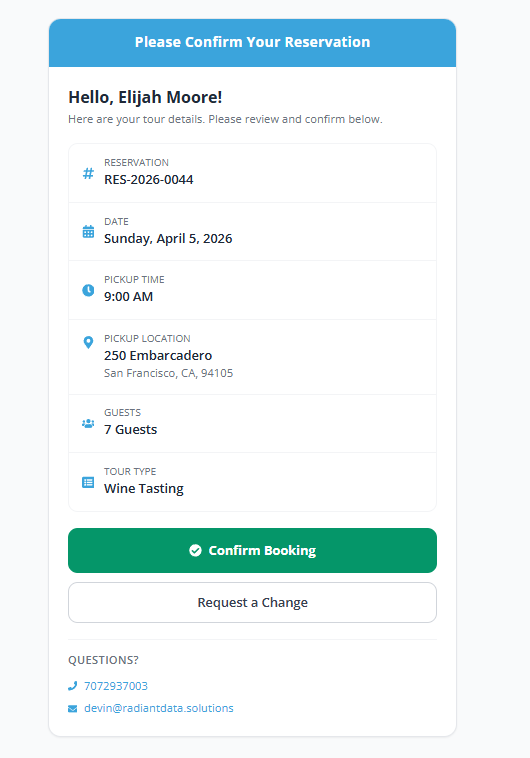
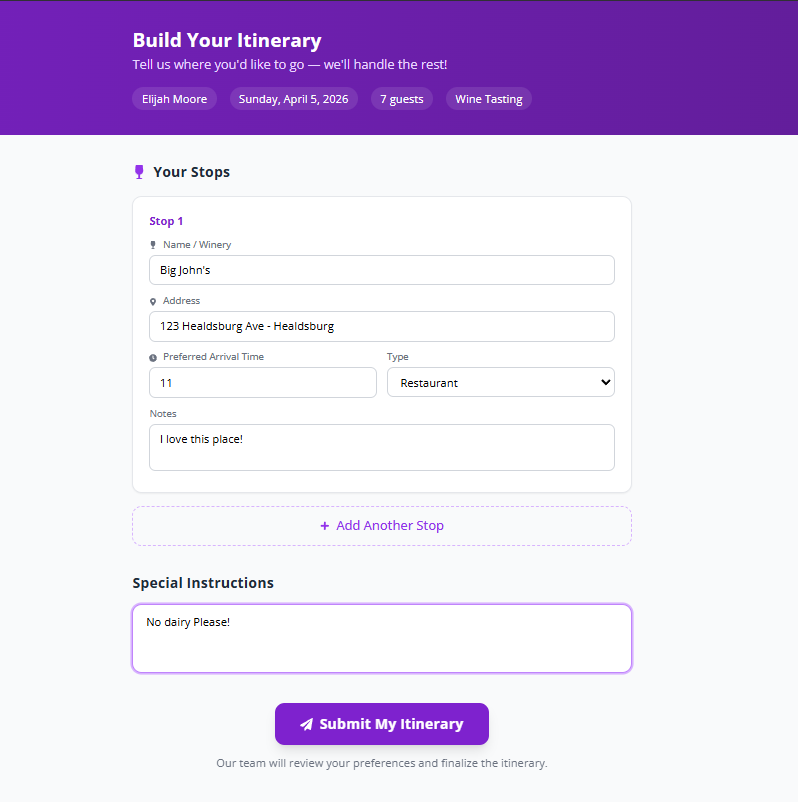
Capture allergy information, dietary restrictions, accessibility needs, birthday celebrations, or any other guest-specific notes. These show up on the manifest next to each guest name so the driver sees them before the tour starts.
Useful for calling ahead to tasting rooms about allergies or special seating arrangements.
Emergency Contacts
Each guest record can include an emergency contact name and phone number. If something happens during the tour, the driver has the information on hand without calling back to the office.
Emergency contacts are visible only to the driver and dispatch, not to other guests.

From Booking to Check-In in 3 Steps
Guests Book
Guest details flow from bookings into the tour manifest automatically. No re-typing names or copy-pasting from emails.
Driver Reviews Manifest
Before the tour, the driver opens the manifest on their phone. They see every guest, special requests, and pickup details.
Check In and Go
Tap each guest at pickup to mark them as checked in. Headcount updates live for both driver and dispatch.
Passenger Manifest Software for Wine Country Tours
Wineries care about headcounts. Many tasting rooms cap group sizes at 6 or 8 and charge per person. If you show up with 10 guests and only reserved for 8, the tasting room turns people away. A digital manifest with live headcount tracking ensures your numbers match every reservation at every stop.
Tour Management Made Right vs. Paper Manifests and Clipboards
| Capability | Paper / Spreadsheets | Tour Management Made Right |
|---|---|---|
| Guest list creation | Re-type from emails | Auto from bookings |
| Check-in tracking | Pen on clipboard | Tap on phone |
| Headcount at each stop | Manual count | Running total in app |
| Special requests visible to driver | Separate notes | Inline per guest |
| Last-minute guest changes | Print new list | Instant app update |
| Emergency contacts | Office file | On-device per guest |
Frequently Asked Questions
Does the manifest pull from booking data automatically?
Yes. When a guest books a tour, their name, party size, and contact info populate the manifest automatically from Tour Booking Management.
Can the driver add walk-in guests?
Yes. Drivers can add guests to the manifest on the spot through the mobile app. The change syncs to dispatch immediately.
How does check-in work?
The driver taps each guest name in the mobile app to mark them as checked in. A running headcount shows expected vs. actual at all times.
Can I track headcount at each stop?
Yes. Drivers can re-confirm headcount at any stop. The count is logged per stop for post-tour reporting.
Are special requests visible to the driver before the tour?
Yes. Allergy info, dietary notes, accessibility needs, and other requests appear next to the guest name on the manifest.
Can I export the manifest?
Yes. Export the manifest as a PDF for printing or sharing with winery hosts who need a guest list in advance.
Is guest data secure?
Yes. Guest personal information and emergency contacts are encrypted and accessible only to authorized users (assigned driver and dispatch).