Itinerary Builder for Multi-Stop Tours
Multi-Stop Itinerary Builder for Tour Operators
Itinerary builder that puts clean, guest-ready tour days together in minutes. Drag and drop stops into order, set time at each location, add notes for the driver and guests, then share a link or export a polished PDF.
Drag-and-Drop Stop Ordering
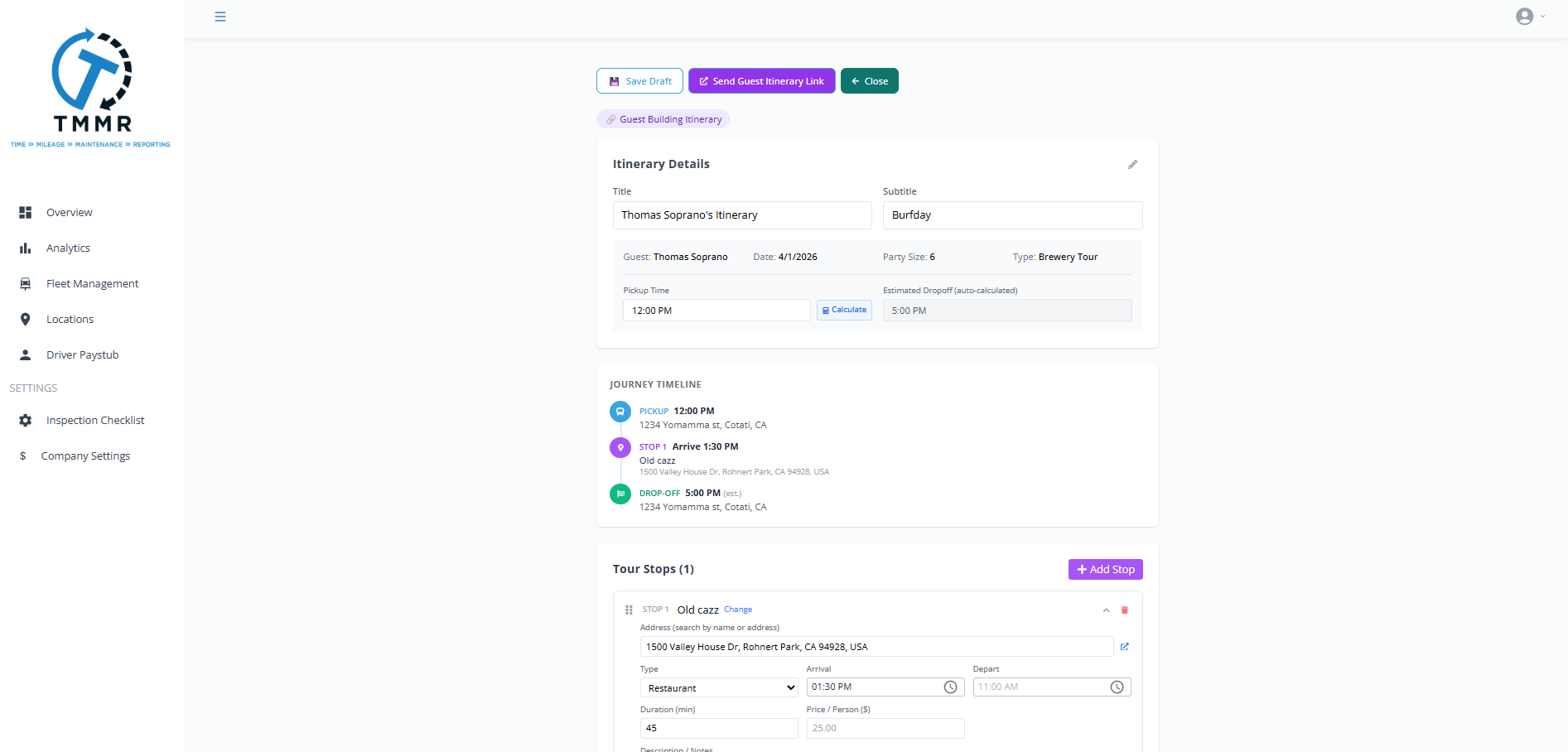
Add wineries, restaurants, pickup locations, and custom stops to the itinerary. Drag them into the right order. The timeline updates instantly with drive times between each stop and a running total for the day.
Need to swap the second and third wineries? Just drag. All times recalculate automatically.
Time Allocation Per Stop
Set how long guests will spend at each stop. 60 minutes for a seated tasting, 45 for a walk-in, 75 for lunch. Tour Management Made Right uses these durations plus drive times to build an accurate timeline from first pickup to final drop-off.
Adjust one stop’s duration and the rest of the day shifts forward or back automatically.

Notes Per Stop
Add internal notes for the driver (gate code, parking instructions, contact name) and guest-facing notes (dress code, what to expect, tasting fee details). Each stop carries both sets of notes so nothing gets lost in a text thread.

Share with Guests and Export PDF
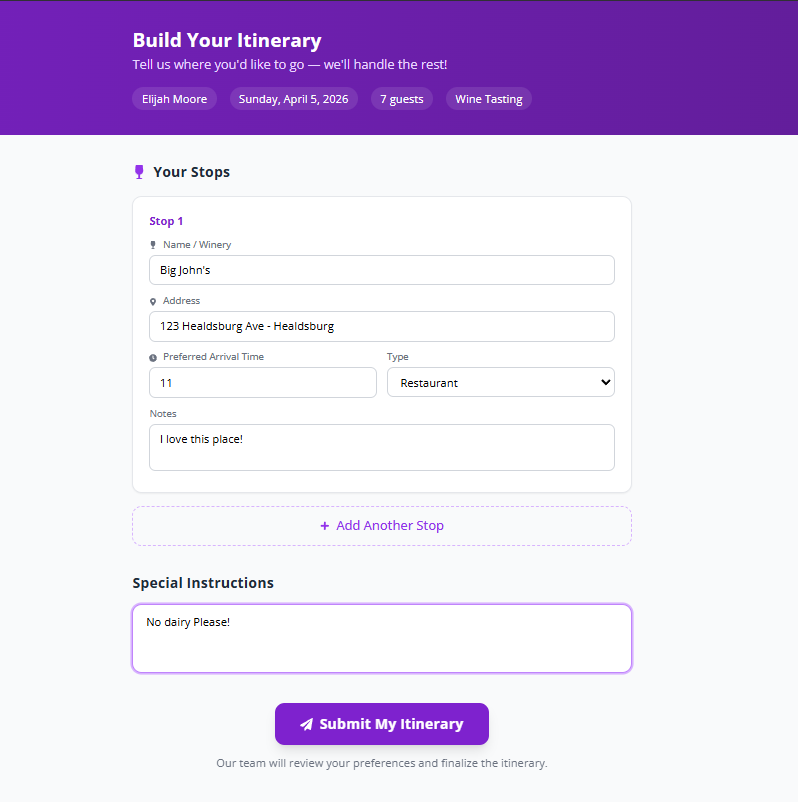
Send guests a clean, branded itinerary link they can view on their phone. Or export a PDF for print. The itinerary shows stop names, times, addresses, and any guest-facing notes. No login required for guests.
Great for concierge partners and hotel front desks who hand itineraries to guests at check-in.
Build an Itinerary in 3 Steps
Add Stops
Search for wineries and locations or add custom stops. Set time allocations and notes for each one.
Arrange the Order
Drag stops into sequence. Tour Management Made Right calculates drive times and builds the full day timeline automatically.
Share or Export
Send a guest-facing link, export a PDF, or publish the itinerary to the driver’s mobile app.
Itinerary Builder for Wine Tour Days
A typical Napa or Sonoma wine tour hits 3 to 4 wineries plus lunch. Each winery has its own reservation window, some require 48-hour notice for groups, and tasting durations vary from 30 minutes to 90. Tour Management Made Right’s itinerary builder handles all of this so the day flows without gaps or overlaps.
Tour Management Made Right vs. Spreadsheets and Email Threads
| Capability | Spreadsheets / Email | Tour Management Made Right |
|---|---|---|
| Stop ordering | Manual numbering | Drag-and-drop |
| Automatic timeline | Calculate by hand | Auto-calculated |
| Guest sharing | Email attachment | Shareable link |
| PDF export | Format manually | One-click export |
| Driver and guest notes | Mixed in same doc | Separate by audience |
| Real-time edits | Re-send updated file | Live link updates |
Frequently Asked Questions
How many stops can I add to an itinerary?
Up to 20 stops per itinerary, including pickups, drop-offs, wineries, restaurants, and custom locations.
Can guests view the itinerary without logging in?
Yes. The shareable link works without any login. Guests see stop names, times, addresses, and any notes you’ve added for them.
Can I add different notes for drivers and guests?
Yes. Each stop has separate fields for internal driver notes and guest-facing notes. Drivers see both; guests only see theirs.
Does rearranging stops recalculate the timeline?
Yes. Drive times and arrival/departure times update instantly when you move a stop to a new position.
Can I save an itinerary as a template?
Yes. Save any itinerary as a reusable template and clone it for future tour dates with different guests.
Does the PDF include branding?
Yes. Exported PDFs include your company name, logo, and contact info alongside the full itinerary.
Can the driver see the itinerary on their phone?
Yes. Published itineraries appear in the driver mobile app with navigation links for each stop.